See real sleep length, not clock math
Your armed screen reads Rings in 7h 45m — not a wake time you decode when you're already tired. You instantly know if you're protecting 7–8 hours or stealing from tomorrow.
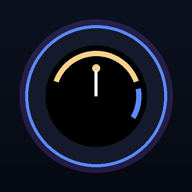
Alarm for Garmin · Countdown Alarm
The premium sleep alarm for Garmin watches
At 10:45 PM, Garmin shows 6:30 AM. Your brain shows doubt. Countdown Alarm — the app from Alarm for Garmin — shows 7h 45m of rest so you know tonight is enough for tomorrow's energy, focus, and mood.
Under-sleeping isn't a badge of honor. One short night becomes a foggy morning, weaker workouts, and decisions you'll regret. The fix isn't willpower at 6 AM — it's one honest look at your wrist before you stay up another hour.
7-day free trial on your watch · less than a coffee per week
Best on your phone: open the link from Messages or Notes so Connect IQ can jump to the app page. Then install and scan the in-app QR for your 7-day trial.
Your armed screen reads Rings in 7h 45m — not a wake time you decode when you're already tired. You instantly know if you're protecting 7–8 hours or stealing from tomorrow.
Drag your wake time and watch 7h 45m rest update live. Catch "only 5 hours" at 11 PM — not when the alarm shocks you out of 4.
Raise your wrist or open glances — Countdown Alarm shows 7h 45m rest even after the app itself has closed. Add the Rest complication to Face It / your watch face if you want it on the clock.
Countdown Alarm runs on 70+ devices — Venu 4, Venu 3, Fenix 7/8, Forerunner 965, and more. Same app, same brand: Alarm for Garmin.
Countdown Alarm is the rest countdown on your wrist. Garmin does not let apps copy into the built-in Clock alarm.
Set the alarm and leave the app on the screen. It dims to a bedside display that shows the rest left until the alarm, and it rings from there — the ring only works while the app is open. If you glance at the watch face instead, add Countdown Alarm to your glance list (hold a glance → add) to see live rest time; on Venu 4 the Rest left complication does the same on a Face It watch face.
Almost always it is the watch’s Sleep Mode. When it switches on — at your scheduled bedtime or when the watch detects you fell asleep — Garmin swaps to the sleep watch face, and that swap closes whatever app is open. It happens once per night, so if you reopen the app afterwards it stays open till morning. No app can prevent the swap, but you can:
Recommended while you are there: Focus Modes → Sleep → Display & Brightness → Touch Lock → On. The touchscreen is locked during sleep so the pillow cannot press anything; the buttons still snooze and dismiss. With these settings the countdown stays open and rings reliably night after night. You can check what happened on your own watch under Settings → Night log (press and hold the idle screen on touch watches).
No. The app never records an activity and does not touch the sensors, so sleep stages, stress, HRV Status and Body Battery are measured as normal with the countdown open all night. Alarm data stays on the watch.
No. Connect IQ has no API to create or change Garmin’s built-in alarms. We will not ask you to set the time twice.
The app was not on the screen at alarm time. Garmin does not let a Connect IQ app vibrate from the background, so the ring needs the app open. Keep it open overnight and apply the Sleep Mode setting from “Why does the app close by itself at night?” — with that in place it rings night after night.
Yes. The display dims once the alarm is set. The first tap or button press only wakes the screen; a second tap opens the options (Edit time, Disarm, Exit). Back and swipes are ignored while the alarm is set, so nothing accidental can stop it.
Tap the screen or press either button to snooze (length in Settings). Hold MENU — long-press the screen on touch watches — to dismiss. On the snooze screen the upper button opens a menu with Disarm. Everything works with buttons alone, so Touch Lock during sleep is fine.
On the idle screen (no alarm set): press and hold the screen on touch watches (Venu, Vívoactive), or press MENU on button watches. Settings has the tone, snooze length and the Night log, which lists what happened to the app overnight with battery, notification and Do Not Disturb state next to each event. Diagnostics upload in the Night log is off unless you turn it on.
$9.99/month is cheaper than one ruined morning. Your health compounds — so does this decision.
Alarm for Garmin · Countdown Alarm · Secure Stripe checkout · No ads · No data sold · Unlock syncs to your watch automatically